Graphic design that knows your client's brand
Make social posts, posters, print and folded leaflets in the browser. Start from a template or a blank page, and the right client's colours, fonts and logos are already to hand.
Every app included. From £29 a month after the trial.
How it works
Three steps
- 1
Pick a size or template
Social, story, poster, A-sizes for print or a folded leaflet. 34 templates adapt to each size they suit.
- 2
Design in the brand
Choose the project and its brand kit follows: colours, fonts and logos in the panel, with checks for anything off-brand.
- 3
Share and export
Send a view-only link for comments, then export for social, the web or the printer.
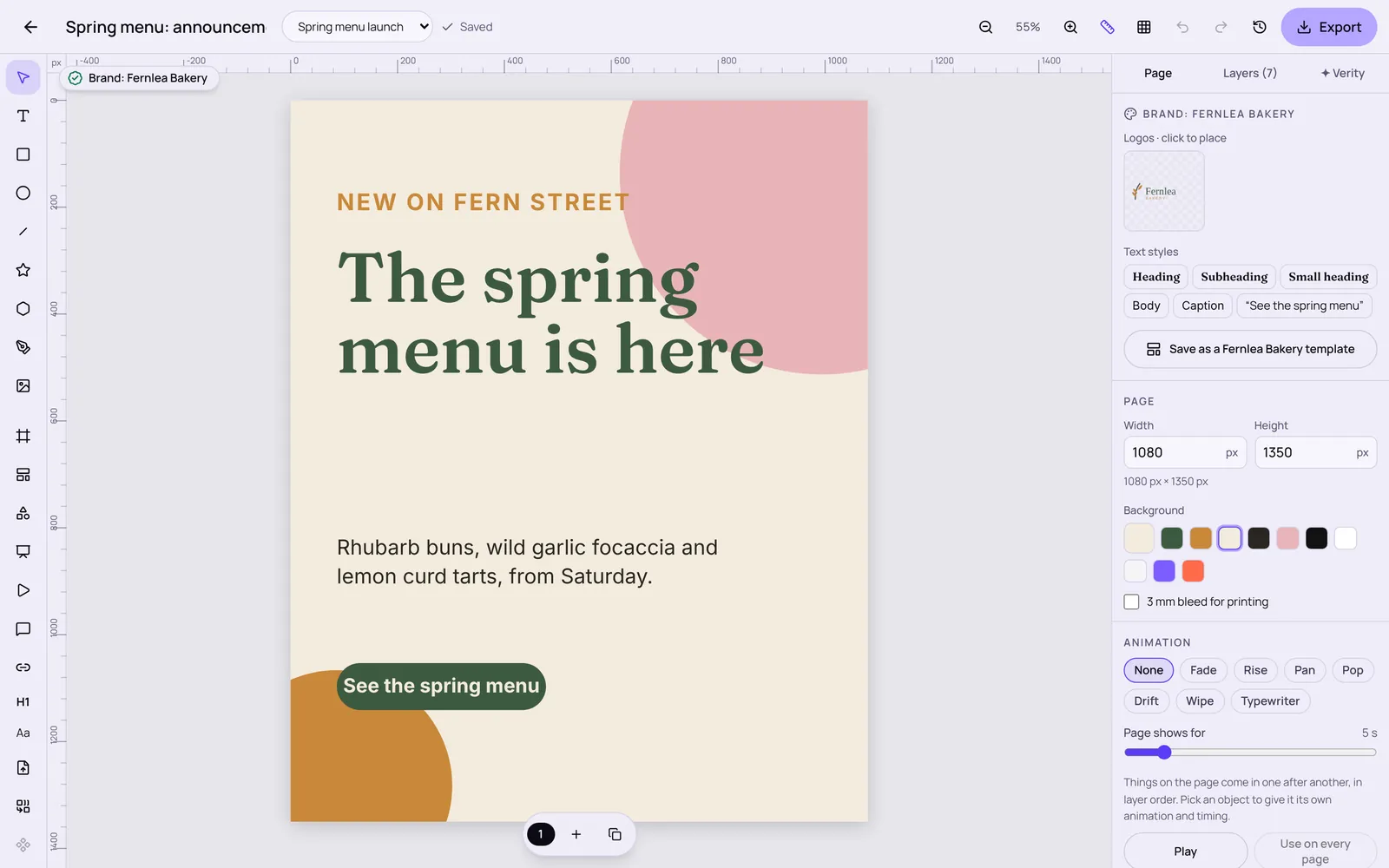
Brand colours change a design
Pick a brand kit and the same design takes its colours and type. These brands are made up for the demo; nothing is saved.
NEW ON FERN STREET
The spring menu is here
See the spring menuWhat it does today
- Templates, blank pages and resizing a design to another size with the layout adapting
- Pen and shape tools, text on a path, patterns, masks, symbols, swatches, Image Trace and Shape Builder
- Photo frames with zoom, flip and filters; icons, charts, tables and QR codes
- Folded and two-sided leaflets with fold lines, panel names and warnings for words near a fold
- Page and object animation with a play preview
- Pinned comments with replies, and a view-only link for clients
- Versions you can name and go back to; saving never overwrites newer work from another device
- Export
- PNG, JPG, WebP, SVG, PDF and print PDF (300 dpi, 3 mm bleed, crop marks); animations as GIF or video (MP4 or WebM, depending on the browser)
- Bring in
- JPG, PNG, WebP, GIF, SVG, HEIC and TIFF pictures from your device or asset library
Working by hand
Every tool works by hand, with keyboard shortcuts, layers, alignment and undo. Verity is optional and off until you switch AI on.
What Verity can do
- Change the open design when you ask (add, move, recolour), with each change shown in the editor and undoable
- Check a design against the brand kit and preview the fix before you keep it
Where it works
In the browser: The full editor in the browser.
iPhone and iPad app: Design, templates, frames, icons, QR codes, comments and the view-only link on iPhone and iPad (in testing). Video export of animations is on the web.
The iPhone and iPad app is in testing and isn't in the App Store yet. Everything works in the browser on a computer, tablet or phone today.
Good to know before you buy
- PDFs are RGB. There's no CMYK PDF or colour profile output yet, so ask your printer if they need CMYK.
- Text doesn't shrink to fit its box automatically yet.
- Comments don't have @mentions or email alerts yet.
Questions about Design
Can I design without a client or project?
Yes. Design works on its own. Linking a project is only needed if you want its brand kit and to keep the file with that client.
Does it use AI to make designs?
You design; Verity can make changes you ask for and check the brand. Nothing she does is final until you keep it, and AI is off until you switch it on.
Can my client comment?
Yes. Turn on the view-only link and allow comments. They don't need an account and never see your team's comments.
What does it cost?
Every Stydyo app is included in both plans: Pro is £29 a month or £290 a year for one person; Business is £59 a month or £590 a year for up to 3 people. Try everything free for 7 days first.
Try everything free for 7 days.
Full access to every Stydyo app. Choose your plan and cancel anytime.
Start your 7-day free trialPayment method required. Your selected subscription starts automatically after 7 days unless you cancel.