Short videos, edited where your client's work lives
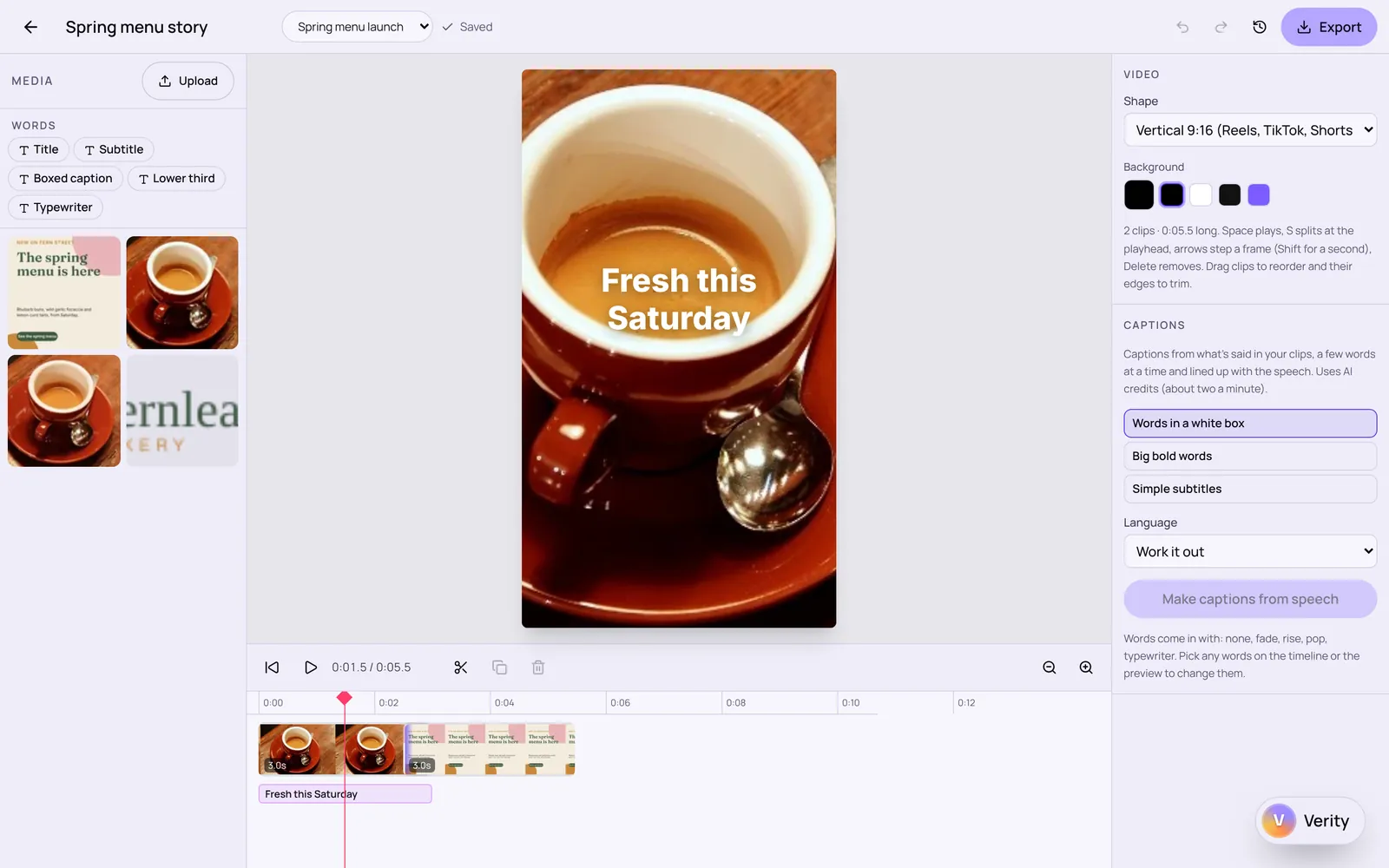
Put clips in order, trim and split them, add words and music, and make captions from what's said. Built for social clips and short films, not feature-length edits.
Every app included. From £29 a month after the trial.
How it works
Three steps
- 1
Add clips, pictures and music
MP4, MOV or WebM video, pictures and sound from your device or the asset library.
- 2
Edit on the timeline
Trim, split, change speed, add transitions, words, pictures on top and music that dips under speech.
- 3
Caption and export
Make captions from speech in one of three styles, then export the finished video.
What it does today
- Clips in order with trim, split, speed, volume, fit and push-in
- Transitions between clips
- Words and pictures on top with entrances
- Music with fades, and ducking under speech
- Captions made from speech, in three styles, each one editable
- Vertical, square and landscape sizes
- Bring in
- MP4, MOV and WebM video; pictures; MP3, M4A, WAV and OGG sound
- Export
- MP4 where the browser supports it, otherwise WebM, with sound
Working by hand
Every edit is made by hand on the timeline. Captions use AI to hear the speech; you can correct any caption.
What Verity can do
- Captions are made with AI from what's said in your clips (not the music), using AI credits.
- Verity doesn't edit videos for you yet.
Connected to the rest of Stydyo
Where it works
In the browser: Editing, captions and export.
iPhone and iPad app: Editing on iPhone and iPad (in testing); export opens on the web. Captions show and can be corrected in the app.
The iPhone and iPad app is in testing and isn't in the App Store yet. Everything works in the browser on a computer, tablet or phone today.
Good to know before you buy
- Export records the video as it plays, so a one-minute video takes about a minute to export.
- There's no separate audio editor or multi-track sound mixing.
- Captions are made on the web for now.
- Meant for short videos; long edits aren't its purpose.
See it in a real workflow
Questions about Video
Is Video an AI video editor?
You edit; AI is used only to make captions from speech, and only when you ask.
What sizes can I make?
Vertical for stories and reels, square, and landscape.
Can I add my own music?
Yes, upload MP3, M4A, WAV or OGG. Make sure you have the rights to use it.
What does it cost?
Every Stydyo app is included in both plans: Pro is £29 a month or £290 a year for one person; Business is £59 a month or £590 a year for up to 3 people. Try everything free for 7 days first.
Try everything free for 7 days.
Full access to every Stydyo app. Choose your plan and cancel anytime.
Start your 7-day free trialPayment method required. Your selected subscription starts automatically after 7 days unless you cancel.