No account. No card.
Explore a working Stydyo workspace
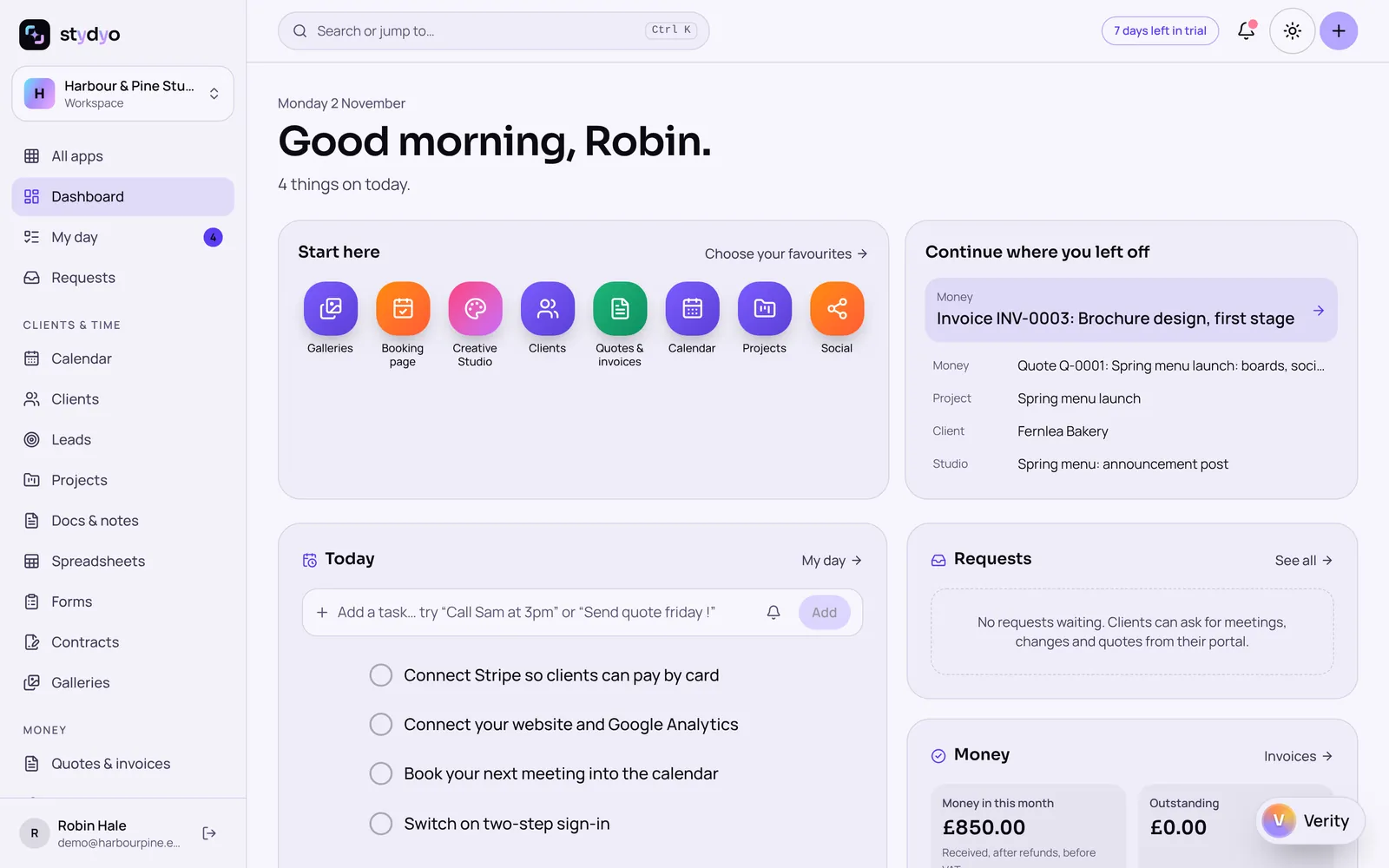
The real Stydyo screens, filled with a made-up studio (Harbour & Pine) and made-up clients. Follow one client from enquiry to paid invoice, or click around on your own. Nothing you do is saved, sent or charged.
The demo
A fictional workspace to look around, straight away.
- No account, no email, no card
- Every app's screens, filled in
- Nothing you do is saved, sent or charged
The free trial
Your own workspace, working for real, for 7 days.
- Every app and feature, for up to 3 people
- Your own clients, files and invoices
- Payment method required; cancel during the trial and nothing is charged
Payment method required. Your selected subscription starts automatically after 7 days unless you cancel.
Guided tour
One client, from enquiry to invoice
- 1
Meet your client
Fernlea Bakery came in as an enquiry from Mara, through the website. Everything for them lives on this page: the conversation, quotes, invoices, projects and files.
- 2
Review the quote
The quote for the spring menu launch: menu boards, social posts and a counter leaflet, with VAT worked out. Mara accepted it, and the deposit invoice was raised from it in one click.
- 3
Open the project
The project the quote turned into: tasks on a board, time logged and the deliverables Fernlea is waiting for.
- 4
See the approved brand kit
Fernlea's logo, colours, fonts and tone of voice, approved as version 1. Designs for Fernlea use it automatically.
- 5
Explore the branded design
The announcement post, made in Stydyo Design with Fernlea's colours and fonts. Open the panels to see the layers and the brand checks.
- 6
Review client feedback
Mara commented through a view-only link (no account needed) and the team replied. She also approved the announcement post by link before it went out.
- 7
See the invoice
The 50% deposit invoice, marked as paid. (A sample payment in a demonstration workspace: no money moved.)
What's in the demo
- Dashboard and My day
- Today's tasks, money owed and paid, client requests and recent work.
- Clients and leads
- Fernlea Bakery and three other made-up clients, plus new enquiries.
- Projects, tasks and time
- A task board, logged time and deliverables for the spring menu launch.
- Quotes and invoices
- A quote with VAT, a deposit invoice raised from it, and a paid sample.
- Money and expenses
- What's coming in, what's overdue and the year so far.
- Brand kits
- Fernlea's approved logo, colours, fonts and tone of voice.
- Design, Photo, Video and Sketchbook
- Real files in each editor: a branded post, an edited photo, a story with a timeline, a sketch.
- Marketing
- A campaign on the calendar, with a post the client approved by link.
- Verity, your built-in AI assistant
- Two example conversations written in advance (labelled as examples). The demo never makes live AI requests.
What the demo won't do
It's a preview, so anything that would change, send or charge something is switched off underneath, not just hidden:
- Save, create or delete records
- Upload files
- Send emails, messages or invitations
- Publish posts or pages
- Make live AI requests
- Take or make payments
- Connect outside accounts
On a phone, the demo uses the same layout as Stydyo on a phone. The Design, Photo and Video editors are made for a bigger screen, so they're best explored on a computer or tablet.
What each app does